
You can add, update or remove card details via our client area.
Click this link to view your current credit cards on file:
https://clients.uptimewebhosting.com.au/account/paymentmethods
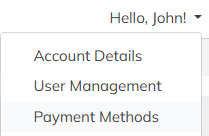
You can also access this page via the Hello, menu at the top right of the client area:
From the Payment Methods screen, you can see all of the current cards attached to your account.
Please note that we do not store your credit card numbers. We only store a secure connection to the Stripe payment gateway.
We can only see the last four digits and expiry date.
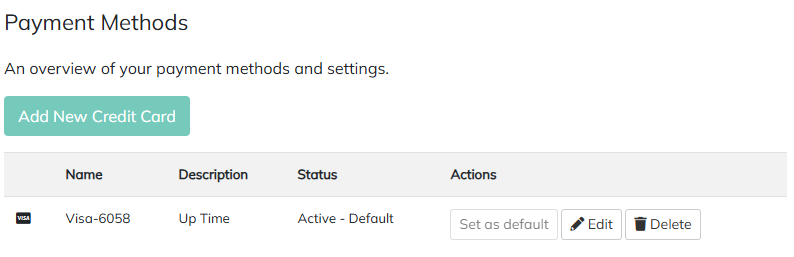
If you need to edit the Expiry on your card, click the Edit button.
To remove a card from your account, click the Delete button.
To add a new card, click the Add New Credit Card button.
Fill in the details to attach your card to your account and click on Save Changes

