
Your Plesk windows hosting includes a DNS service. It uses a master only set up and no slave DNS provided.
If you require a more robust DNS service a third-party service like CloudFlare may be an option.
In most cases though, the following set up will provide you with a reliable DNS service using Plesk.
Configure Domain Hosts
Before you can set the nameservers on your domain, you will need to create domain host records on your domain. Note this is different from DNS.
Depending upon where your domain is registered the steps will be different. The following steps are for domains that are registered at UpTime. If your domain is registered elsewhere try searching for your registrar name and host records, e.g. google search for GoDaddy Registry Host Names. Some registrars may call them custom names or host record names.
Follow these steps to set up Domain Host records with your domain registered at UpTime:
- Log in to the Client Area
- Click on the Domains box:

- Click on the row for the domain you want to create the host records for:

- In the Manage box, click on the Manage Child Host Records option.

- Create your first Host Record by typing in ns1 and the IP address of your Plesk server (you can get this from within Plesk or from your welcome email when you purchase your plan):

- Click on Add New Host
- Repeat the process again but this time enter ns2 and use the same IP Address
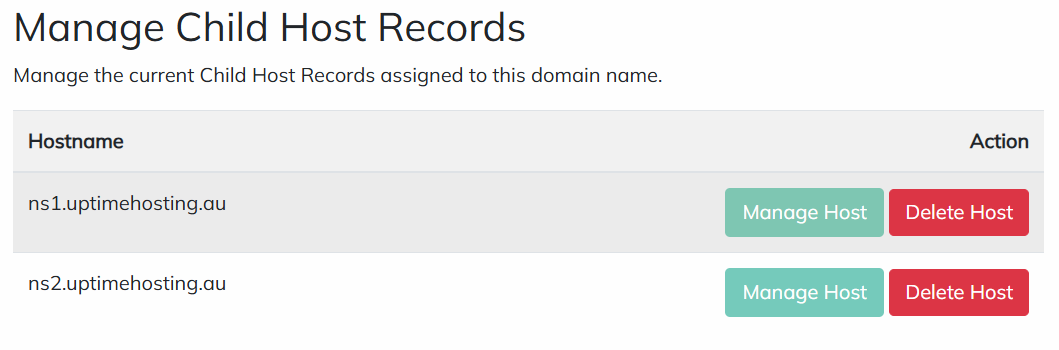
- You should now see your two Host records:
- Now click on Nameservers in the Manage box:

- Set the option to Use custom nameservers and enter your host records you created above:

- Click on Change Nameservers
Your domain is now configured to use your Plesk hosting DNS service.
Double check your settings by using IntoDNS
