
You can adjust your PHP version and installed extensions via cPanel.
Default PHP version: PHP 8.5 is now the server default. If you've already chosen a different version in Select PHP Version, your site will keep using it until you change it. Older versions such as PHP 7.4 no longer receive security updates, so we recommend using PHP 8.3 or newer.
Follow this guide to configure your PHP hosting environment:
- Log in to cPanel
- Scroll down to the Software section and click on Select PHP Version.

- Click on the Per Domain Settings
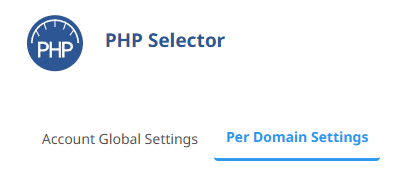
- If your website shows that it is HANDLED BY cPanel, click on the Use PHP Selector button:

Once updated, you should see:
This means your website is now using CloudLinux PHP - Now click on Account Global Settings
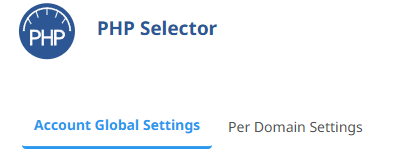
- Set the PHP version you want to use:

- Use the Extensions tab to install any PHP extensions you need.
To install an extension, click it so it's ticked:
- Finally, click on the Options tab:
- You can now adjust your PHP INI options:

NOTE: If your website starts to show errors after switching to CloudLinux PHP, it may be due to some extensions not being enabled. Ensure you have the correct extensions selected.
Why does WordPress show a different PHP version from cPanel?
MultiPHP Manager and CloudLinux PHP Selector are different controls. A version shown in MultiPHP Manager does not by itself confirm which PHP version your website is using. Follow Per Domain Settings above to check which handler controls the domain. If it is handled by cPanel, use Use PHP Selector before choosing a version in Account Global Settings.
- Before changing PHP, take a full backup and check that your WordPress version, theme and plugins support the version you intend to use.
- In Select PHP Version, choose a supported, non-native version rather than relying on an inherited/native setting. PHP 8.3 or newer is recommended, subject to your application's compatibility.
- In WordPress, open Tools > Site Health > Info > Server and check the PHP version actually reported by the site. Make sure you are checking the same domain you changed.
- If the version still differs, a PHP handler directive in the site's
.htaccessfile may override the control-panel selection. Back up the file before editing it. Ask your developer to review any old PHP handler settings; do not delete the whole file or remove unrelated WordPress, redirect or security rules. If you are unsure, open a helpdesk ticket with the domain, the version you selected and the version the site reports.
A PHP version change should take effect immediately. If the site reports a different version, check the handler and any overrides rather than simply waiting for it to update.
WordPress reports a missing MySQL extension
The native PHP selection may not let you change extensions. Check that the domain is using PHP Selector as described above. For the WordPress missing-MySQL-extension error, select non-native PHP 8.3, then open Extensions: enable mysqli and pdo_mysql, and disable nd_mysqli and nd_pdo_mysql. Recheck the site after the change.
If the error remains, do not keep changing unrelated settings. Open a helpdesk ticket with the domain, exact error and the PHP version and extensions selected. Never include passwords in the ticket.
